
X Browser -Light & Super fast
byteman.suCommunication
4.41.56K Reviews
- Version
- 5.6.3
- Installs
- 10.00M
- Age Rating
- Everyone
Screenshots
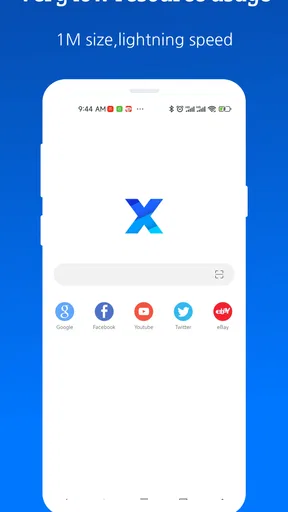
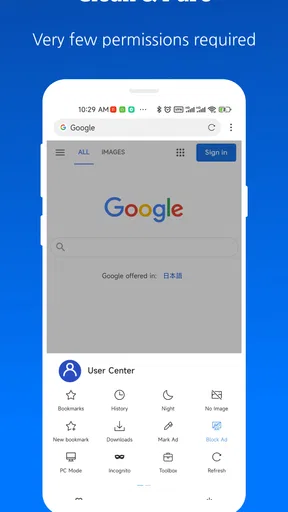
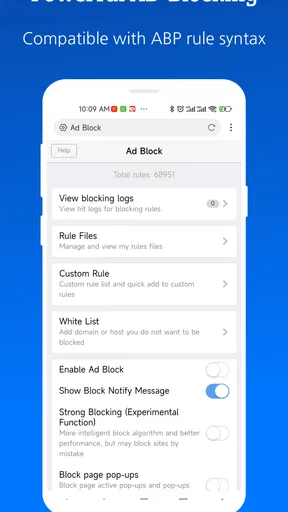
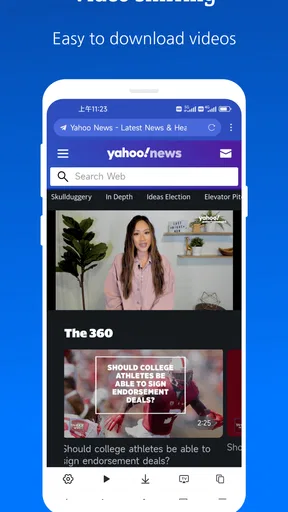
Our Review of X Browser -Light & Super fast
 Analysis by Appyee
I usually judge a mobile browser by what happens between tapping a link and actually reading the page. Does it open quickly on an older phone? Does it stay comfortable when a website is crowded with ads? Can I save a video or switch between ordinary browsing and more private, focused sessions without fighting the interface? X Browser -Light & Super fast is built around those practical questions rather than around a long list of extras.
It is a free communication app from byteman.su, with a compact approach that makes sense for people who want a browser instead of a complete online ecosystem. The current version is 5.6.3, and it supports Android 7.0 and later. That broad compatibility matters if you are using a phone that no longer receives the newest Android releases, although the experience naturally depends on the hardware and the websites you visit.
After spending time with it, my impression is straightforward: this is most appealing when you want a small, direct tool for everyday web access, built-in ad blocking, and video saving. It is less convincing for somebody who expects a full desktop-style browser with extensive synchronization, elaborate account features, or a large collection of connected services. That distinction is important, because the app’s simplicity is both its strongest advantage and its clearest limitation.
A small browser that focuses on the essentials
The first thing I notice about this browser is its purpose. It does not try to turn browsing into a social feed, a shopping assistant, or a content platform. You open a page, read it, search for something, and move on. That restrained design can be refreshing on a phone where storage, memory, and battery life are more noticeable than they are on a desktop.
The store summary highlights a lightweight build, fast browsing, a small size, ad blocking, and video download. Those features work together rather than feeling like unrelated additions. A browser that removes some advertising content can make pages easier to scan, while a smaller application is easier to justify on a device with limited free space. The result is particularly suitable for quick tasks: checking a timetable, opening a help page, reading a short article, or following a link from a message.
I would not describe the interface as a replacement for every browser on your phone. Instead, I see it as a useful second browser or a practical primary browser for people who value low overhead. If your current browser feels heavy, displays too much promotional content, or takes more steps than necessary to reach a page, this application gives you a simpler route.
Its popularity suggests that the idea has found a substantial audience. X Browser has an average rating of 4.4 from around 98 thousand ratings, and it has passed 10 million installs. Those figures do not guarantee that every website will behave perfectly, but they do show that the lightweight approach is not a niche experiment used by only a handful of people.
What the current version means in daily use
Version 5.6.3 is the version I would consider when installing the app today. I prefer looking at a browser as a moving product rather than judging it only by its original launch. X Browser first appeared on September 29, 2018, so it has had time to settle into a recognizable identity instead of being a brand-new utility still searching for its purpose.
That history also changes how I interpret the app. The core appeal is not a dramatic visual redesign or a collection of fashionable features. It is the continued refinement of a focused browser concept: keep the application accessible, make ordinary browsing less cluttered, and offer a direct way to handle online video when the site and content allow it. I would treat the current version as an evolution of that compact philosophy, not as a promise that it will behave like the largest browsers.
For existing users, the main benefit of staying with it is consistency. If you already like a browser that opens quickly, reduces advertising distractions, and does not require a large account-based setup, a newer version can preserve the workflow you have built around it while keeping the app current. The practical question is not whether it has every feature found elsewhere, but whether its focused set still matches the way you use the web.
Ad blocking is more than a cosmetic extra
Built-in ad blocking is one of the features that can change how a page feels. On a busy news page or a recipe site, removing some interruptions can make the main text easier to find. It can also reduce the amount of visual movement competing for attention. I find this especially useful when I am trying to read with one hand on a smaller screen, because fewer distractions mean less accidental tapping.
There is a trade-off, though. Websites sometimes rely on advertising to pay for their content, and some pages may ask you to disable blocking before showing everything. A blocked element can also be something the page expects to be present, so a site may look unusual or lose part of its layout. My advice is to think of the blocker as a convenience, not an invisible guarantee that every page will work perfectly.
A good everyday workflow is to leave blocking enabled for ordinary browsing, then temporarily adjust your approach when a site refuses to load an article or interactive feature. That is more realistic than assuming one setting is ideal for the entire web. The value is in reducing clutter most of the time while recognizing that compatibility occasionally comes first.
Video saving requires sensible expectations
The video download capability is another reason someone might choose this browser, but it should not be interpreted as a universal download button for every video on the internet. Websites use different players, delivery systems, and restrictions. Some videos may be available to save, while others may only play inside the page or may not be offered in a downloadable form.
When the feature works, it can be convenient for a familiar situation: I might open a page while connected to reliable Wi-Fi, save an available video, and watch it later when I do not want to depend on a live connection. That is useful for travel preparation, a tutorial I need to revisit, or a clip that I want available during a period of weak reception. I would still check the rights and terms surrounding any content before saving or sharing it.
The less obvious point is that downloading changes the storage decision. A lightweight browser does not make saved videos weightless. Before using the feature repeatedly, I would check how much free space remains on the phone and keep saved files organized. If you mainly stream from official services that already provide their own offline mode, their dedicated apps may offer a clearer and more reliable experience than a general browser download tool.
A realistic morning-to-evening workflow
Imagine starting the day with a link in a group chat to a local service page. I would open it in X Browser, read the information without immediately being surrounded by as many promotional blocks, and then move to a search for a related address or opening time. Later, I might use the same browser to read a guide and save an available instructional video before leaving home. In the evening, I could return to the page history rather than installing another specialized app for each small task.
That scenario shows where the app makes sense: short sessions, mixed websites, and a preference for doing more with one compact tool. It also shows where it may fall short. If the day revolves around many synchronized tabs, work profiles, password management across several devices, or complex browser extensions, I would choose a larger mainstream browser instead. X Browser is at its best when the browser itself should stay out of the way.
Who should install it, and who should skip it
I would recommend trying it if you use an older Android phone, want a free browser with a small-footprint mindset, or find advertising clutter more annoying than useful. It is also a sensible option for a secondary browser dedicated to quick searches, reading, and occasional media saving. The Everyone content rating makes it suitable for a broad audience, although parents should still remember that a general web browser can reach the wider internet and should be used with the same judgment as any browser.
I would skip it as a primary choice if your most important requirement is seamless browsing across several devices. I would also look elsewhere if you depend on advanced synchronization, a deeply integrated password system, extensive extension support, or a polished workflow built around a large browser account. Those needs are not minor details; they affect how much time you spend managing tabs, logins, and saved information.
There is also a difference between wanting speed and wanting every page to behave identically to a desktop browser. A lightweight design can feel faster for simple pages, but complex websites may still be limited by their own scripts, media players, and layouts. No browser can remove the weight of a poorly designed website entirely. I would judge this app by how efficiently it handles the ordinary pages I visit, not by expecting it to transform every demanding site.
How it compares with familiar alternatives
Compared with a large mainstream browser, X Browser feels more focused. The usual alternatives often win when you want a broad ecosystem: synchronized bookmarks, shared history, account integration, mature password tools, and compatibility with workflows built around a desktop computer. Their size and extra services can be worthwhile if you use those features every day.
Compared with a privacy-focused browser, the comparison is more nuanced. X Browser’s built-in ad blocking can reduce visible clutter, but I would not automatically treat that as the same thing as a complete privacy strategy. People who choose a browser specifically for advanced tracking protection, detailed privacy controls, or a strong privacy-centered identity should examine whether those particular tools are available and sufficient for their needs. For simple ad reduction, X Browser is attractive; for a carefully managed privacy setup, another option may be more appropriate.
Compared with a manufacturer-installed browser, the advantage is choice. You are not limited to the browser that arrived with the phone, and the lightweight approach may suit you better. The disadvantage is that some device-specific conveniences may be more naturally integrated into the original browser. I would test both with the websites and sharing actions I use most rather than choosing only by appearance.
Small details that improve the experience
One useful habit is to separate browsing jobs by intention. I use a compact browser like this most effectively when I open it for a defined task instead of letting dozens of unrelated pages accumulate. Search for the information, read it, save what genuinely matters, and close the session when finished. That approach keeps the app aligned with its lightweight character and makes it easier to notice when a particular website is the real source of a slowdown.
A second tip is to test ad blocking on the sites that matter to you before making the browser your only choice. Try a news page, a shopping page, a form, and a video page. If one of those depends heavily on advertising scripts or embedded content, you will learn quickly whether the blocker helps or creates extra steps. This is a more useful test than relying on a single fast-loading homepage.
A third trade-off concerns video saving. Use it as an occasional preparation tool rather than as a replacement for official offline viewing. Save only what you are allowed to keep, check the available storage first, and remember that a file saved on one phone is not automatically part of a synchronized library. That workflow avoids disappointment and makes the feature genuinely useful instead of treating it as a promise that every online video can be kept.
For older devices, I would also keep expectations practical. The minimum supported operating system is Android 7.0, which opens the door to phones that may not run many newer applications. Still, an old phone can have limited memory, a slower processor, or a crowded storage drive. Installing a small browser can help, but it cannot remove every hardware bottleneck. Clearing unused downloads and avoiding a large pile of open pages may matter just as much as the browser choice.
What has improved in the product’s direction
The clearest evolution is the fact that the app has continued from its 2018 release to the present version without abandoning its original identity. I see that as a positive sign for users who prefer tools with a stable purpose. The browser remains centered on access rather than trying to become a full platform, and the combination of ad blocking and video handling gives it a more distinct role than a bare web viewer.
For someone upgrading from an older installation, I would focus on whether the current browsing routine feels smoother and whether the sites I use still behave properly. The meaningful benefit of an updated version is not necessarily a feature that changes the way everyone browses. It can be the quieter kind of progress: continued compatibility, a familiar workflow, and a tool that remains useful on devices outside the newest hardware cycle.
At the same time, I would not assume that the passage of time makes the app equal to the biggest browsers. Product evolution can preserve a focused design while leaving certain advanced expectations unanswered. That is why I would install it based on the tasks it handles well, not on the age of the project or the size of its audience alone.
Remaining gaps before making it your main browser
The biggest gap for me is the limited information a lightweight browser gives you about its broader ecosystem. People who care about detailed account synchronization, advanced privacy controls, or a large extension library may want more than a compact browsing tool is designed to provide. If those features are central to your work, choosing X Browser could mean keeping another browser installed anyway.
Video downloading also has an unavoidable compatibility gap. The feature is useful when a page exposes content in a way the browser can handle, but it is not a guarantee across every service. A user who expects one consistent offline library may be happier with dedicated applications that officially support downloads. That is not a failure of the browser so much as a reminder that web video is not delivered in one universal format.
Ad blocking can create its own friction. Some sites may display notices, hide content, or behave differently until blocking is adjusted. I prefer having the choice, but I would not recommend this browser to someone who never wants to troubleshoot a page. The app minimizes some kinds of annoyance while occasionally introducing a decision: convenience now, or compatibility with the page as its publisher designed it.
What I would watch as the app continues
For future versions, I would pay attention to how well the browser keeps its lightweight character while handling increasingly complex websites. The ideal direction would be careful improvement without turning the app into the same heavy, account-driven experience it was meant to simplify. I would also watch whether video saving remains practical as websites change their players and delivery methods.
Existing users should look for changes that affect their personal routine rather than chasing every version number. Does the browser still open the pages you need? Does the blocker remain easy to control when a site requires an exception? Can you find saved media without confusion? Those questions reveal more about the value of an update than a new visual detail that you may never use.
New users can make the decision safely by treating the app as a focused trial. Install it, test your most important websites, try the ad-blocking behavior, and check whether the available video-saving workflow fits your legitimate needs. If it handles those tasks without adding friction, it may become a comfortable everyday browser. If your needs quickly move toward synchronized work across devices or advanced browser management, keep your usual alternative close.
My recommendation after using it
I like X Browser because it understands a simple truth about phones: many people do not need their browser to be a complete digital headquarters. They need pages to open, text to remain readable, advertising to be less intrusive, and occasional video content to be available for later use. On those terms, this free communication app from byteman.su has a clear reason to exist.
Its 4.4 average and large install base make it easy to see why people give it a chance, but my recommendation is based more on the fit between its design and a particular kind of user. I would choose it for quick browsing, an older Android device, a low-overhead secondary browser, or a cleaner reading experience. I would not choose it automatically for a professional multi-device setup, a demanding privacy workflow, or a media library that depends on official offline features.
The best reason to try it is not that it does everything; it is that it keeps everyday browsing focused. If that sounds like the way you want your phone to work, the current 5.6.3 release is worth testing. If you prefer a browser packed with connected services and advanced controls, a larger alternative will probably save you time in the long run.
Verdict
Strengths of X Browser -Light & Super fast
- Loads pages quickly, even on slower mobile connections.
- Lightweight design uses less storage and system resources.
- Simple interface makes browsing easy for first-time users.
- Private browsing mode helps keep local history off the device.
- Works well on older Android phones with limited performance.
Limitations of X Browser -Light & Super fast
- May lack advanced extensions found in mainstream browsers.
- Some websites may not display perfectly in the lightweight mode.
- Privacy features may be less comprehensive than dedicated browsers.
- Ad blocking or data-saving tools can occasionally break page layouts.
- Limited customization options may disappoint power users.
Similar Picks in This Category
View All
Google Messages
Google LLC4.6

Gmail
Google LLC4.1

Google Meet
Google LLC4.4

Google Chrome
Google LLC4.1

WhatsApp Messenger
WhatsApp LLC4.6

Carrier Services
Google LLC4.2
Frequently Asked Questions
What is X Browser - Light & Super Fast, and who is it designed for?
X Browser - Light & Super Fast is a mobile web browser focused on quick page loading, low storage usage, and a simple browsing experience. It may be suitable for users with entry-level phones, limited internal storage, or slower mobile connections. Its lightweight design prioritizes essential browsing tools rather than the extensive customization and advanced features found in larger browsers.
Does X Browser - Light & Super Fast protect my privacy while I browse?
The browser may include standard privacy options such as private browsing or the ability to clear browsing data, but users should not assume that it provides complete anonymity. Your internet provider, network administrator, websites, and other services may still collect information. Before using it for sensitive activities, review its permissions, privacy policy, tracking controls, and the data practices of the developer.
Can I use X Browser - Light & Super Fast on older or low-end Android devices?
One of the main reasons to consider X Browser - Light & Super Fast is its emphasis on a small footprint and reduced resource consumption. It can be a practical alternative on devices where heavier browsers feel slow or occupy too much storage. However, performance still depends on your phone, Android version, network quality, website complexity, and available memory.
Does the browser support downloads, multiple tabs, bookmarks, and video playback?
The application is intended to cover the basic needs of mobile browsing, including opening websites, navigating between pages, and managing everyday sessions. Depending on the version installed, features such as downloads, bookmarks, multiple tabs, history, and media playback may be available but could be more limited than in mainstream browsers. Check the current store listing and in-app menus before relying on a specific function.
Is X Browser - Light & Super Fast completely free to download and use?
The browser may be available as a free download, but free access does not always mean an advertisement-free experience. Some versions of lightweight browsers display ads or offer optional features through the app. Review the Google Play or App Store listing for purchases, advertising information, subscription details, supported devices, and the permissions requested before installing it.
